
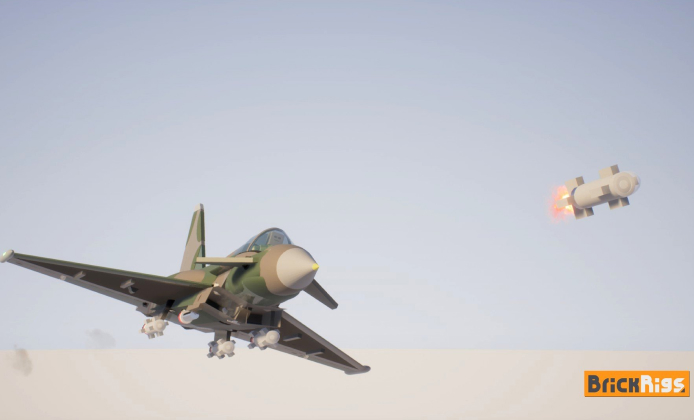
Brick Rigs is a physics-driven sandbox where creativity matters as much as driving skill. The fastest way to enjoy it is to learn a repeatable build process, set up comfortable controls, and understand how weight, torque, and traction interact in real time.
This guide focuses on practical steps you can apply immediately, whether you’re designing a stunt buggy, a heavy hauler, or a chaotic multiplayer contraption.
First Setup and Smart Defaults
Before you jump into complex creations, tune a few basics: camera speed, input sensitivity, and keybinds for quick resets. If you want to play Brick Rigs, start by learning how physics reacts to every hinge and brick in small test builds.
- Pick a flat test area and save it as your “tuning map.”
- Bind a quick reset/respawn key so experiments take seconds, not minutes.
- Lower motion blur or extra effects if they make judging speed and turning harder.
Build in layers: chassis first, then drivetrain, then steering, then cosmetics. If it drives well unpainted, it will still drive well when it looks amazing.
Controls That Make Driving Easier
Driving feels best when camera control is predictable and steering isn’t overly twitchy. As you iterate, Brick Rigs play becomes smoother when you map camera controls and add a reset key for quick retries.
| Action | Why it helps | Quick tip |
|---|---|---|
| Reset / Respawn | Speeds up testing loops | Use it after every major tweak |
| Free camera toggle | Better visibility while tuning | Check suspension travel from the side |
| Handbrake / Brake bias | More control in slides | Test at low speed first |
A Simple Build Workflow That Scales
Most “uncontrollable” vehicles fail because the basics weren’t validated early. Use a small checklist, and only add complexity after each step drives cleanly.
- Chassis: start wide and low for stability.
- Weight: keep heavy components centered and near the floor.
- Steering: avoid extreme angles; tune for predictability.
- Suspension: make sure wheels can travel without clipping.
- Drivetrain: add power last, then reduce wheelspin.
Practicing Brick Rigs game play for free by watching workshop replays and then recreating the steps in your own build can teach you suspension tuning patterns quickly.
Making Vehicles That Don’t Flip
Flips usually come from a high center of mass, too much grip at the wrong moment, or sudden steering at speed. Fix it with one change at a time.
- Lower the seat, engine, and battery blocks to reduce top-heaviness.
- Widen track width if the body is tall, especially on off-road builds.
- Reduce steering angle at high speed so tiny inputs don’t cause rollovers.
Power, Traction, and Braking
More power is fun, but control comes from traction management. If the vehicle spins out, reduce torque, smooth throttle inputs, or increase stability through better weight placement.
For beginners, Brick Rigs play now feels easiest when you begin in Sandbox with a simple chassis and a mild power setup.
Multiplayer Basics and Good Server Habits
Multiplayer is where creativity shines, but it also rewards good etiquette and performance awareness. Keep builds tidy, avoid excessive parts, and label creations clearly so others know what to expect.
- Join servers with clear rules and active moderation.
- Spawn smaller builds first to check performance before bringing out mega-rigs.
- Save “server-friendly” versions of creations with fewer parts and effects.
In multiplayer servers, Brick Rigs free-to-play online claims often appear in chat, so stick to moderated communities and ignore questionable links.
Performance and Troubleshooting
When frame rate drops, reduce part count, simplify joints, and avoid overly complex moving assemblies. If input feels delayed, test offline to confirm whether the issue is graphics load or network conditions. Some players prefer Brick Rigs play without download using a cloud PC, but latency settings matter for steering precision and timing.
Staying Safe While Looking for Deals
It’s common to see misleading posts that promise free access or unofficial installers. Protect your accounts and devices by relying on official storefront pages, verified announcements, and reputable community hubs.
When you see Brick Rigs free-to-play in a headline, verify the source before clicking anything suspicious and double-check the publisher’s official channels. A safe approach to Brick Rigs free-to-play download is to use only official storefront installers and avoid repacked files from unknown sites.
If friends ask about play Brick Rigs for free, explain that the best savings come from official sales and bundles rather than risky third-party downloads. Before trying to play Brick Rigs online for free, check whether your platform offers a timed trial that requires no purchase and uses verified login flows.
Quick Practice Routines
Short, focused drills build skill quickly and make your builds noticeably better:
- Brake test: accelerate to medium speed, then stop in a straight line without skidding.
- Slalom test: weave gently between markers to find steering that won’t tip.
- Ramp test: use a small ramp to see if suspension bottoms out or rebounds too hard.
If you ever decide to play Brick Rigs for free during a legitimate event, treat it like a workshop: test small, save often, and learn what makes a vehicle reliable.
Final Checklist Before You Share a Build
- Does it drive straight without constant correction?
- Can it turn at speed without flipping?
- Do wheels clip into the body under compression?
- Is the part count reasonable for multiplayer use?
Once these boxes are ticked, you’ll spend less time fixing chaos and more time enjoying the best part: inventing something new, then pushing it to the limit.


 Brick Rigs Install Guide: Build, Test, and Drive
 A Guide to Brick Rigs on PC: Build Your Dream Vehicles
 Brick Rigs Full Version: Modular Building and Real Physics
 Brick Rigs Play Guide: Build Smarter and Have More Fun Faster
 Best Games Similar to Brick Rigs
 10 Most Interesting Facts About Brick Rigs Game
