
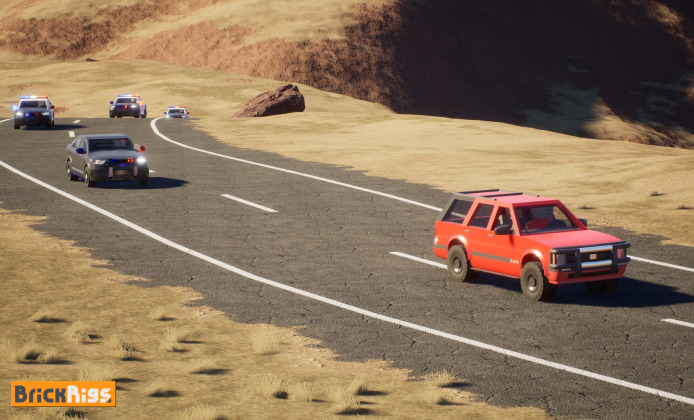
Getting a sandbox vehicle builder running properly on a new machine is mostly about preparation: clean storage, stable drivers, and a predictable install path. This guide walks you through the full setup on Windows, plus the most common fixes if something doesn’t start the first time.
Before You Start
- Free up at least 10–15 GB of space to avoid mid-install interruptions.
- Update Windows and restart once so pending patches don’t block file writes.
- Install the latest GPU drivers (NVIDIA/AMD/Intel) to prevent launch crashes and stutter.
- Close overlays and background recorders temporarily if your installs often fail.
For a straightforward first attempt, many players choose to install Brick Rigs as their baseline method and keep everything else unchanged afterward.
Recommended PC Specs Checklist
You don’t need a workstation, but stability improves a lot with a modern CPU, enough RAM, and a GPU driver that’s current. Use this quick table to verify your setup before installing.
| Component | Comfortable Target | Why It Matters |
|---|---|---|
| Storage | SSD preferred | Faster loading and fewer hiccups while assets compile |
| Memory (RAM) | 8–16 GB | More headroom for mods, large creations, and background apps |
| Graphics | Modern integrated or dedicated GPU | Driver quality strongly affects stability and frame pacing |
| Windows Updates | Fully updated | Prevents missing runtimes and installer permission issues |
Step-by-Step Installation on Windows
- Choose your library location: Prefer an SSD and avoid overly deep folder paths.
- Start the download: Keep the network stable and don’t pause/resume repeatedly if your launcher is sensitive.
- Let it finish cleanly: Avoid launching mid-download, since some titles finalize files at the end.
- Verify files: If your platform offers a verification tool, run it before the first launch.
- First launch: On first boot, allow time for shader compilation or initial setup tasks.
On most systems, you can download and install Brick Rigs on PC through your preferred game platform and then run a file verification pass for extra reliability.
Common Problems and Quick Fixes
If the game doesn’t start, don’t reinstall immediately most launch failures are permission, overlay, or driver related. Work through these in order:
- Run as administrator: Launch your game client with admin rights once to rule out write-permission issues.
- Disable overlays: Turn off Discord overlay, GeForce Experience overlay, Xbox Game Bar, or recording tools temporarily.
- Check antivirus quarantine: Restore blocked files and add the install folder to exclusions if needed.
- Update GPU drivers: If you updated recently and it got worse, try a clean driver reinstall.
- Verify game files: Corrupted or missing files are often fixed without a full reinstall.
If you see a crash on launch, the fastest diagnostic is to disable overlays, verify files, and reboot once, because those three steps solve a surprisingly large share of first-run failures.
When the goal is a clean first-time setup, many users start by running Brick Rigs game install steps in a single uninterrupted session and avoid multitasking until the first boot completes.
Safe Download Practices and What to Avoid
Installation guides often attract risky “shortcut” links, so it helps to keep a simple rule: use official platforms and avoid repacked installers. If a site forces additional download managers, browser extensions, or “PC optimizers,” treat that as a red flag. To reduce risk, it’s better to ignore pages claiming install Brick Rigs free to download as a guaranteed option and instead stick to legitimate storefronts and verified sources.
Windows-Specific Tips for Performance
- Power mode: Set Windows power mode to “Best performance” on desktops, or plug in laptops while playing.
- Background apps: Close heavy browsers and updaters during the first session to keep frame pacing smooth.
- Fullscreen settings: If you get stutter, try borderless fullscreen and turn off unnecessary overlays.
- Storage health: Keep at least 10% free space on the drive so Windows can manage caches properly.
For the smoothest setup path, you’ll typically want to install Brick Rigs on Windows after completing system updates and confirming your graphics drivers are current.
FAQ
- Do I need to reinstall if something goes wrong? Not usually verifying files, updating drivers, and disabling overlays should be your first choices.
- What if downloads are slow or fail repeatedly? Pause other large downloads, restart your router if needed, and try switching to a wired connection for stability.
- Is there a legitimate way to get it at no cost? Sometimes platforms run free weekends or temporary promotions, but be cautious with anything that looks too good to be true.
As a final note, avoid any guides that pressure you to install Brick Rigs for free via unofficial installers, because the safest route is always the official distribution channel.
 Brick Rigs Install Guide: Build, Test, and Drive
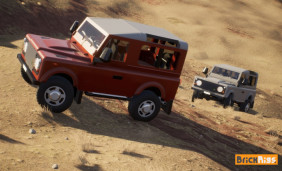 A Guide to Brick Rigs on PC: Build Your Dream Vehicles
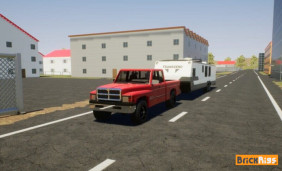 Brick Rigs Full Version: Modular Building and Real Physics
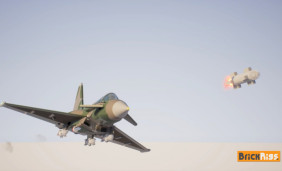 Brick Rigs Play Guide: Build Smarter and Have More Fun Faster
 Best Games Similar to Brick Rigs
 10 Most Interesting Facts About Brick Rigs Game
